Character Maker
July 27, 2026 Nico
Nico
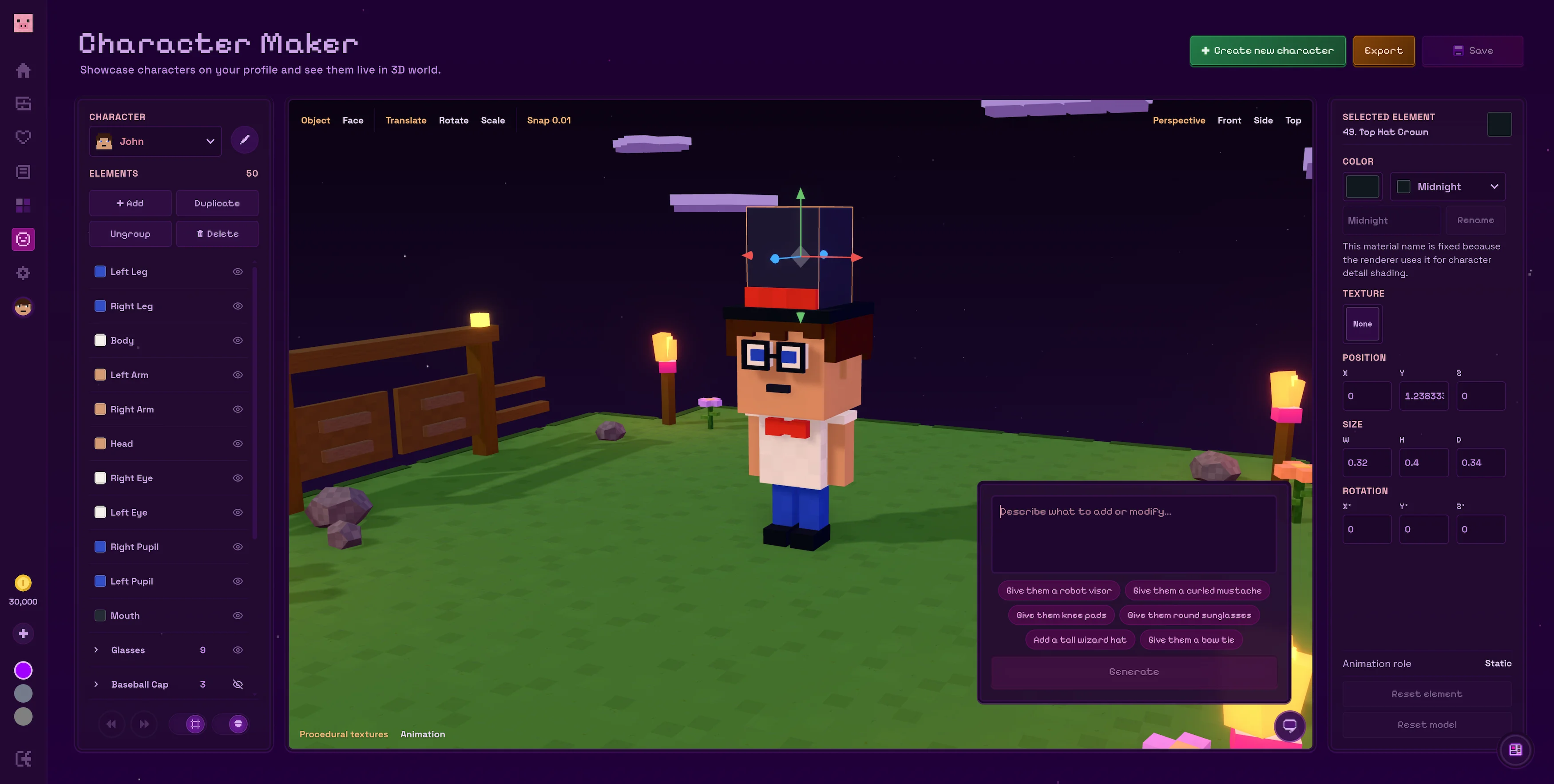
Bring your own characters into the world of Flatblox with the Character Maker. Shape them piece by piece, add your own style and watch their personalities take form in 3D.
Start with a character
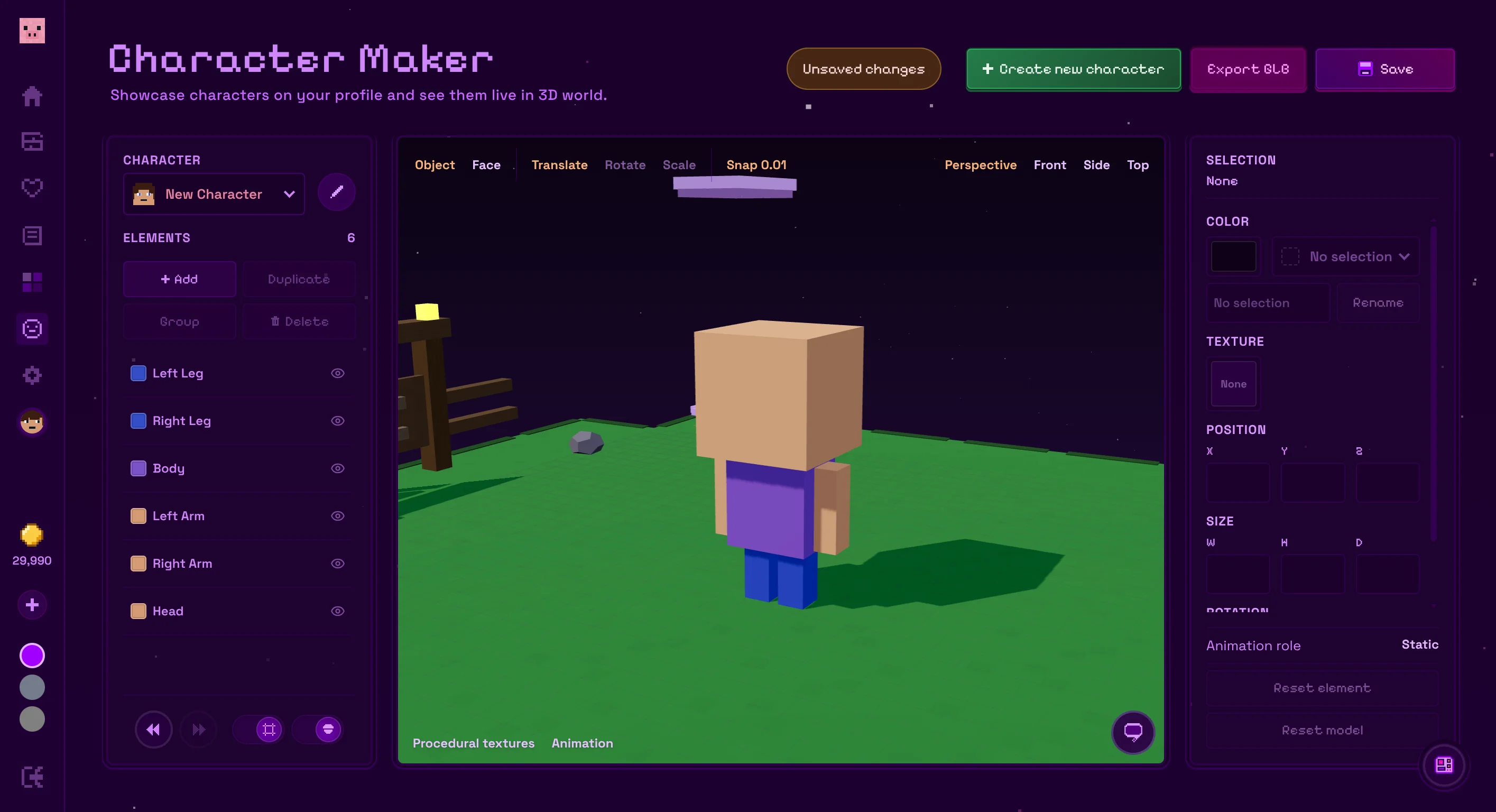
Create a character from scratch with a simple animated rig, or clone one of your custom characters and keep building from there. Give it a name, then add, duplicate, group or remove elements until you have the shape you want.
Build with AI
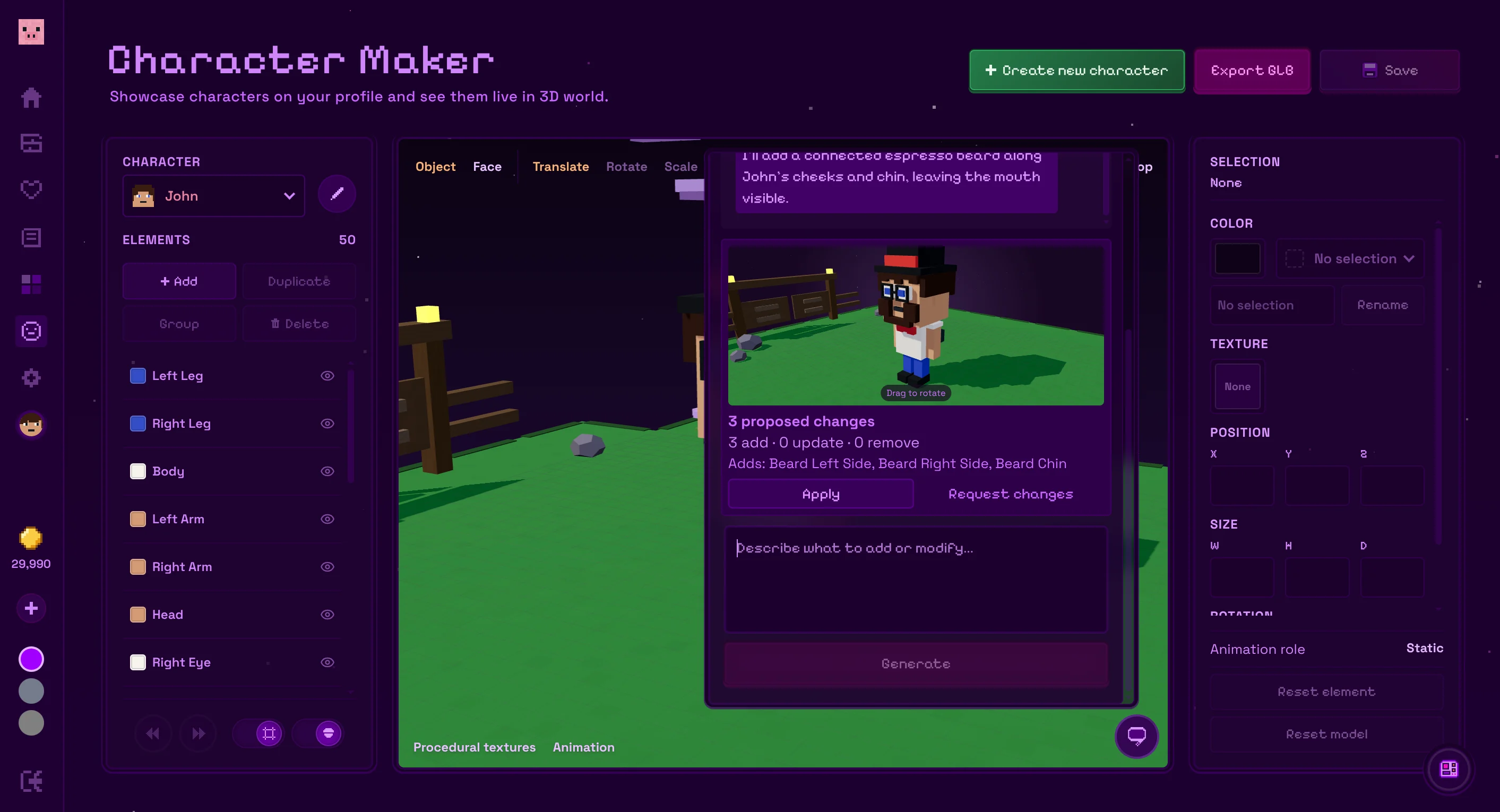
Describe what you want to add or change, like a wizard hat, round sunglasses or a bright red scarf. The Character Maker will prepare an edit and show you a 3D preview before anything changes. Apply it when it looks right or ask for another revision.
Customize every element
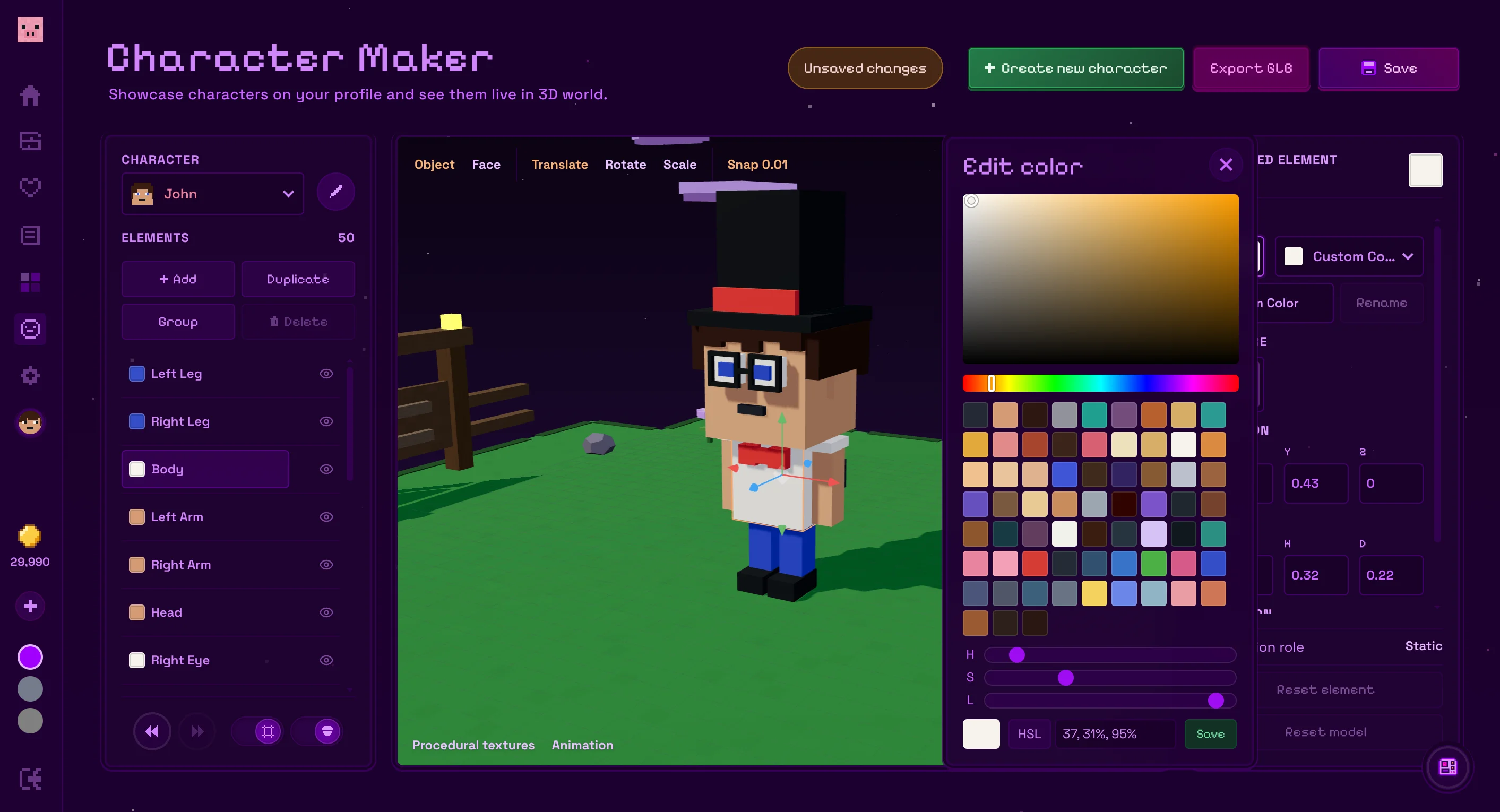
Select any part of your character and move, rotate or scale it directly in the 3D preview. You can adjust exact dimensions, edit individual faces, choose custom colors and apply textures saved from the Texture Maker. Switch between perspective, front, side and top views to check everything from every angle.
Create your own animations
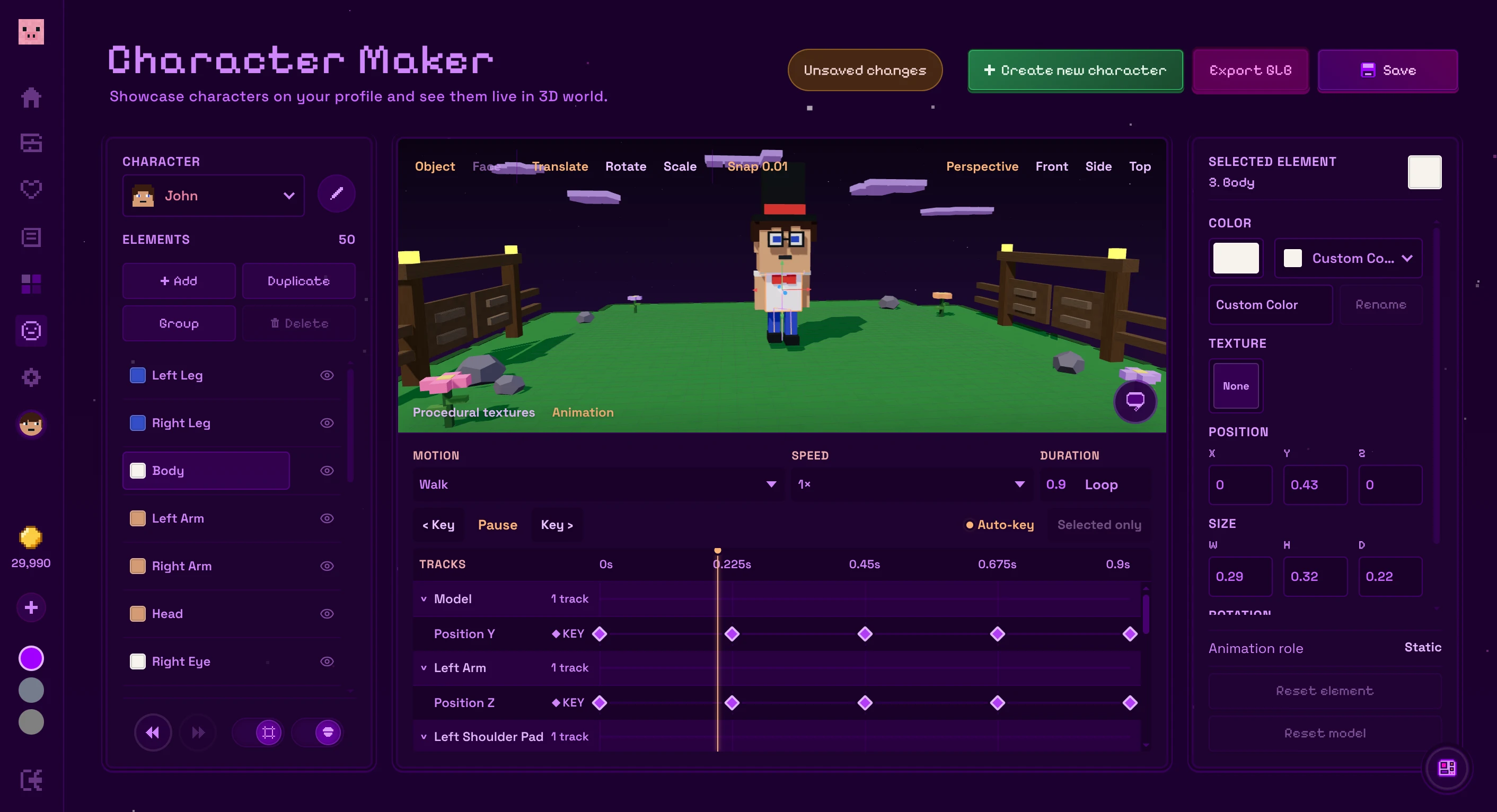
Preview your character's idle, walk and run motions, then edit each animation with its own timeline and keyframes. Adjust the position, rotation and scale of individual elements and play the result right away in the 3D preview.
Save, publish and export
Save your characters to your Flatblox account and publish your favorites to the Created characters section of your profile. Your characters also appear live in the Flatblox 3D world. On the Creator plan, you can export a custom character as a rigged GLB with its animations ready to use in Blender, game engines and other 3D tools.